Tag: mandala

  • Send your love: Create Stunning Cards with Bloom Mandala Stencil

    Send your love: Create Stunning Cards with Bloom Mandala Stencil

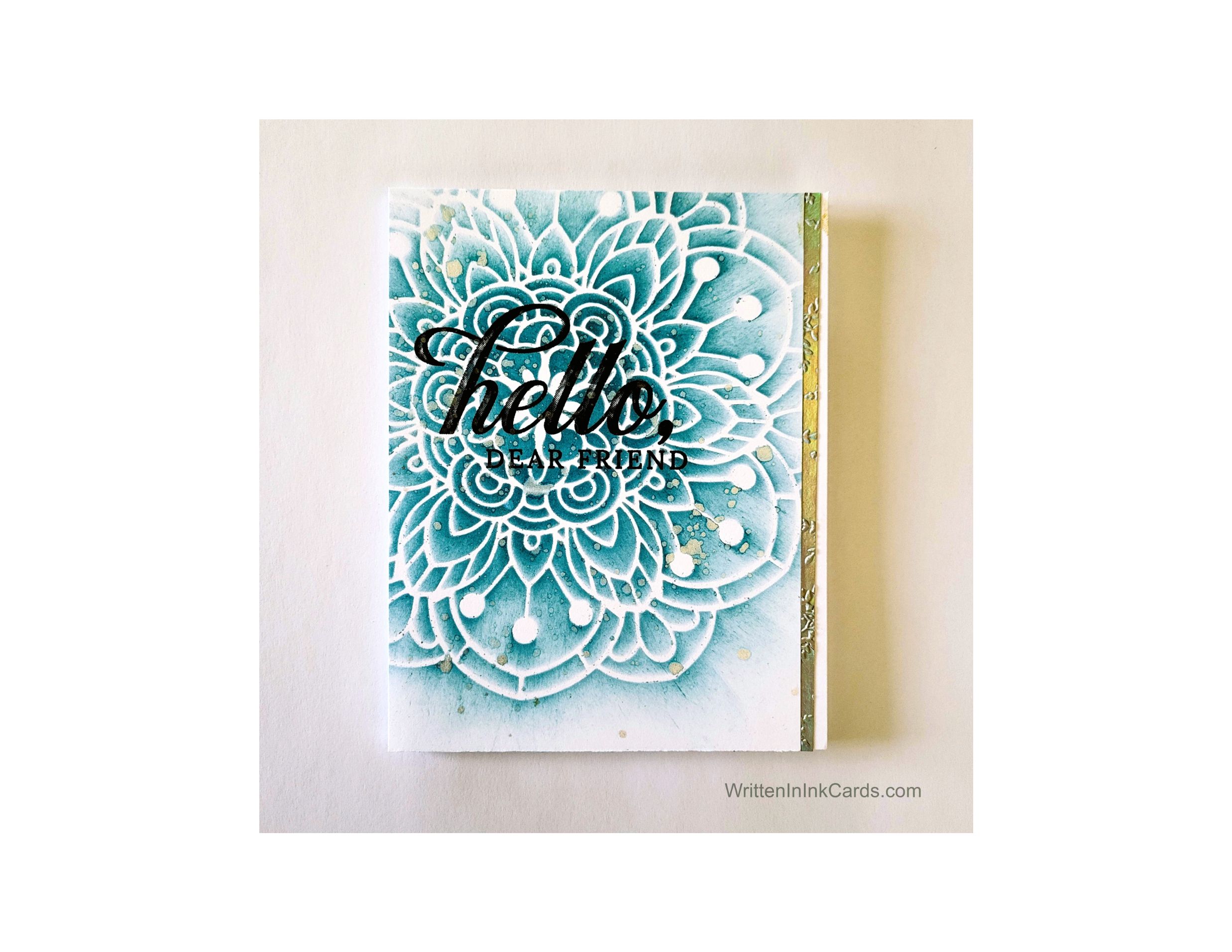
    The delicacy of the Bloom Mandala stencil creates a (quick!) gorgeous card.

    Would you like to experiment with a design like this? You’ll find a supply list below, including a link to the stencil I used from A Colorful Life Designs.  Follow the link and use discount code ChrisFan10 to save 10% on your entire order! (Master Creator Bundles are excluded as they already have a 20% discount built in.)

    Let’s get Started:

    Card Base: 5.5 x 8.5, scored and folded at 4.25

    Card Face:  5.5 x 3.75

    Gold Cardstock:  5.5 x .25”

    The strands in this stencil are very fine – to ensure crisp results I sprayed the back with Pixie Spray and allowed it to sit for about 30 seconds before putting it onto the card face.

    Card Face:

    • I laid the card face on my Grip Mat and positioned the stencil.  I rolled a brayer over it to ensure good adhesion.
    • I started applying ink in the center and worked towards to the outer edges of the stencil.  I built up layers of ink in the middle and allowed the intensity to fade as it moved to the edge.
    • I spattered the card face with gold metallic watercolour and waited a few minutes for this to dry completely.
    • I placed the card face into the stamp positioner and stamped the sentiment with Versafine Onyx.
    • I sprinkled this with clear embossing powder and set it with my heat gun. 

    Assembly

    • I glued the card face to the card base, aligning snugly on the left.  
    • I glued the gold strip against the right-hand edge of the card face.

    Final Thoughts:

    I had the gold strip in my “in case I need it” stash of metallics,  and it was already embossed.  It’s amazing how much visual interest that texture adds.

    This is such a beautiful stencil – it’s fun to use, and easy to create beautiful results.

    Supplies: (and links where possible)

       I have listed which products I have used, and where they may be purchased. It’s a huge marketplace and in most instances, there are multiple sources and many alternatives to choose from.

    Stencil: Bloom Mandala,  A Colorful Life Designs

    Waffle Flower Grip Mat, 8.5 x 6.5, Scrapbook.com

    Clear Embossing Powder,  Wow,  Simon Says Stamp

    Stamps: Life is Grand, Stampin’ Up!  (retired)

    Metallic Watercolour: Amazon

    Ink: Stampin’ Up!

    Blending Brushes: Stampin’ Up! 

    Versafine Onyx, Simon Says Stamp

    Adhesive: Tombow Aqua, Michaels

    Card Base & Card Face: Accent 100 lb., Amazon

    Do you have comments or thoughts to share on this design?  Drop me a line in the Comments Section below –  I’d love to hear from you!

    You can also use the Comments Section  to be notified when I release new work
  • Create Stunning Cards with Bloom Mandala Stencil

    Create Stunning Cards with Bloom Mandala Stencil

    Would you like to experiment with a design like this? You’ll find a supply list below, including a link to the stencil I used from A Colorful Life Designs.  Follow the link and use discount code ChrisFan10 to save 10% on your entire order! (Master Creator Bundles are excluded as they already have a 20% discount built in.)

    Let’s get Started:

    Card Base: 5.5 x 8.5, scored and folded at 4.25

    Card Face:   5.5 x 4.25 (x 2)

    Card Face:

    Before beginning  I sprayed the back of this delicate stencil with Pixie Spray.  I left this for about 30 seconds before using it.

    • I created the first card face by placing the it on my Grip Mat and positioning the stencil. I went over the stencil with a brayer to ensure good contact.
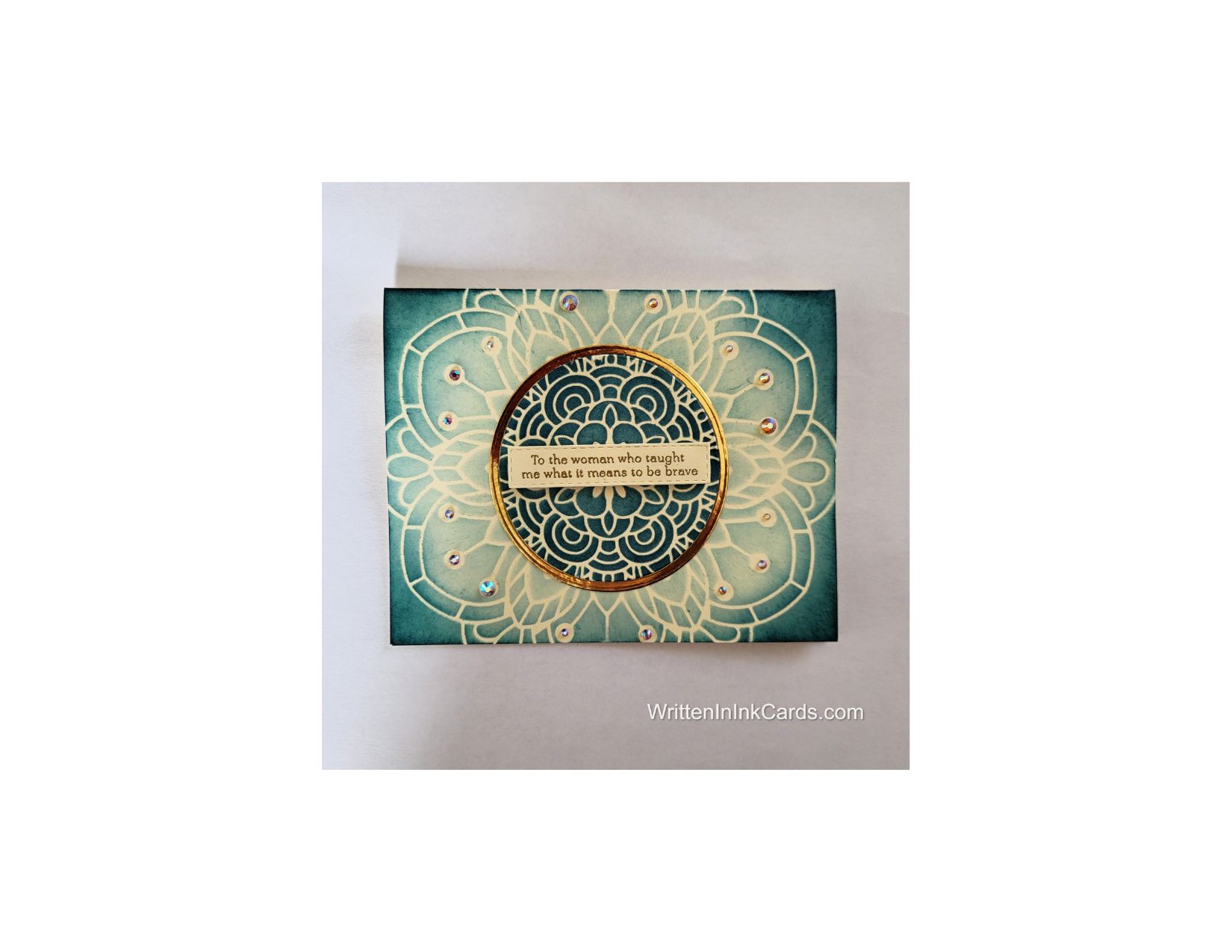
    • I used dark teal ink and a heavy hand across all open areas,  creating very saturated tones across the surface.
    • I used a circular die to cut the center from this panel.
    • I put that card face to the side and positioned the second one on the grip mat: again I positioned the stencil on the card face and used a brayer to ensure good contact between stencil and paper.
    • Using the same ink but with a light hand this time, I created the pattern once again.  I added several layers of ink to all borders to intensify the colour there.

    Other:

    • I stamped the sentiment on a piece of scrap cardstock,  and cut it out with a stitched rectangle die.
    • I used two circular dies and some gold foiled cardstock to create the circular frame.  The smaller of the dies was the one used to cut the circle from the initial card face.  This ensured a perfect match in sizing.

    Assembly

    • I glued the second card face to the card base.
    • I added the more intensely coloured circle cut from the first card face,  taking care to line the patterns up perfectly when gluing it down. This second layer added a nice bit of subtle dimension.
    • I glued the gold circle in place around the layered circle.
    • I added the sentiment across the center as shown.
    • I added 3 different sizes of gems around the mandala to finish the card.

    Final Thoughts:

    The delicacy of this stencil is so lovely – it is a joy to use.  This card was created for my 97 year old mother,  and she was delighted with it.

    Supplies: (and links where possible)

       I have listed which products I have used, and where they may be purchased. It’s a huge marketplace and in most instances, there are multiple sources and many alternatives to choose from.

    Stencil: Bloom Mandala, A Colorful Life Designs

    Waffle Flower Grip Mat, 8.5 x 6.5, Scrapbook.com

    Stamps:  Polka Dot Blossoms, Tim Holtz, Amazon 

    Dies: 

       Circular Nesting Dies, Amazon 

       Stitched Rectangles, Stampin’ Up! (retired)

    Gems: Twilight Illusion, Crafty Meraki

    Ink: Stampin’ Up!

    Blending Brushes: Stampin’ Up! 

    Versafine Onyx, Simon Says Stamp

    Adhesive: Tombow Aqua, Michaels

    Card Base & Card Face: Accent 100 lb., Amazon

    Do you have comments or thoughts to share on this design?  Drop me a line in the Comments Section below –  I’d love to hear from you!

    You can also use the Comments Section  to be added to the list, and notified when I release new work.