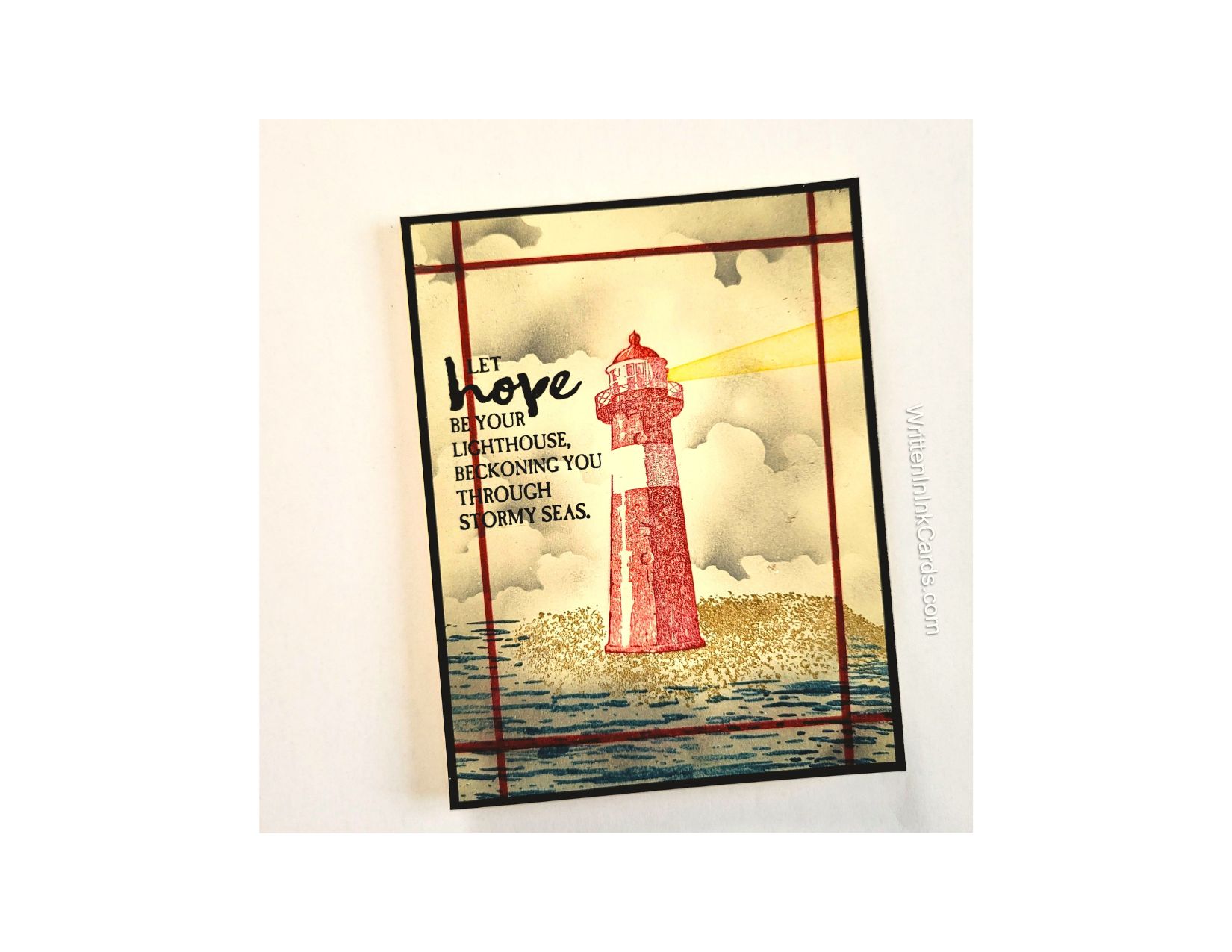

Would you like to experiment with a design like this? You’ll find a supply list below, including a link to the stencil I used from A Colorful Life Designs. Follow the link and use the discount code ChrisFan10 to save 10% on your entire order! (Master Creator Bundles are excluded as they already have a 20% discount built in.)
Let’s get Started:
Card Base: 5.5 x 8.5, scored and folded at 4.25
Black Border Layer: 5.5 x 4.25
Card Face: 5.25 x 4
Card Face:
- I put the card face down in my stamp positioner and stamped the lighthouse, the ground around the base, the water, and the beam of light.
- I used light gray ink and a blending brush to add the base colour for the sky, allowing variation in depth of tone. I added the clouds with the Cloud Edger stencil, moving the stencil on the card face and rotating it to create different cloud shapes.
- I added the same gray ink to all borders, adding extra colour to the water to create the look of a stormy sea.
- I put the card face back into the stamp positioner and added the sentiment using Versafine Onyx.
- I used a ruler to measure ½” on each corner, marking these with pencil. Then I connected the marks with a red marker to create a frame.
Assembly
- I glued the black border piece to the card base, and centered the card face on top of these.
Final Thoughts:
This is one of my favourite stamp sets , and although it is (sadly) retired, I still pull it out from time to time.
I am always impressed with the depth I get by using the Cloud Edger stencil.
Supplies: (and links where possible)
I have listed the products I have used and where they can be purchased. It’s a huge marketplace, and in most instances, there are multiple sources and many alternatives to choose from.
Stencil: Cloud Edger, A Colorful Life Designs
Stamps: High Tide , Stampin’ Up! (retired)
Ink: Stampin’ Up!
Blending Brushes: Stampin’ Up!
Versafine Onyx, Simon Says Stamp
Adhesive: Tombow Aqua, Michaels
Recollections 110 lb., Michaels
Do you have any comments or thoughts on this design? Drop me a line in the Comments Section below – I’d love to hear from you!
You can also use the Comments Section to be notified when I release new work.
Cloud Edger